Company operations and ship management on a single database — from the board's dashboard to the form a Third Officer signs at sea tonight. A screen for every person, compliance that schedules itself, a ship that works offline and syncs by itself, and security built on Apple's Claris platform.
Company operations & ship management, by SlashBackThis site is long because the platform is. If you have five minutes, these ten points are the argument. If you have forty-five, the bottom of the page tells you how to see it running on your own ships.
Tasks, approvals, meetings, leave, HR, the general ledger — the work of the office lives here, with full ship-management depth underneath. Nothing lives in a mailbox.
178 modules read and write the same records. A certificate, a seafarer, a purchase order is one record everywhere it appears.
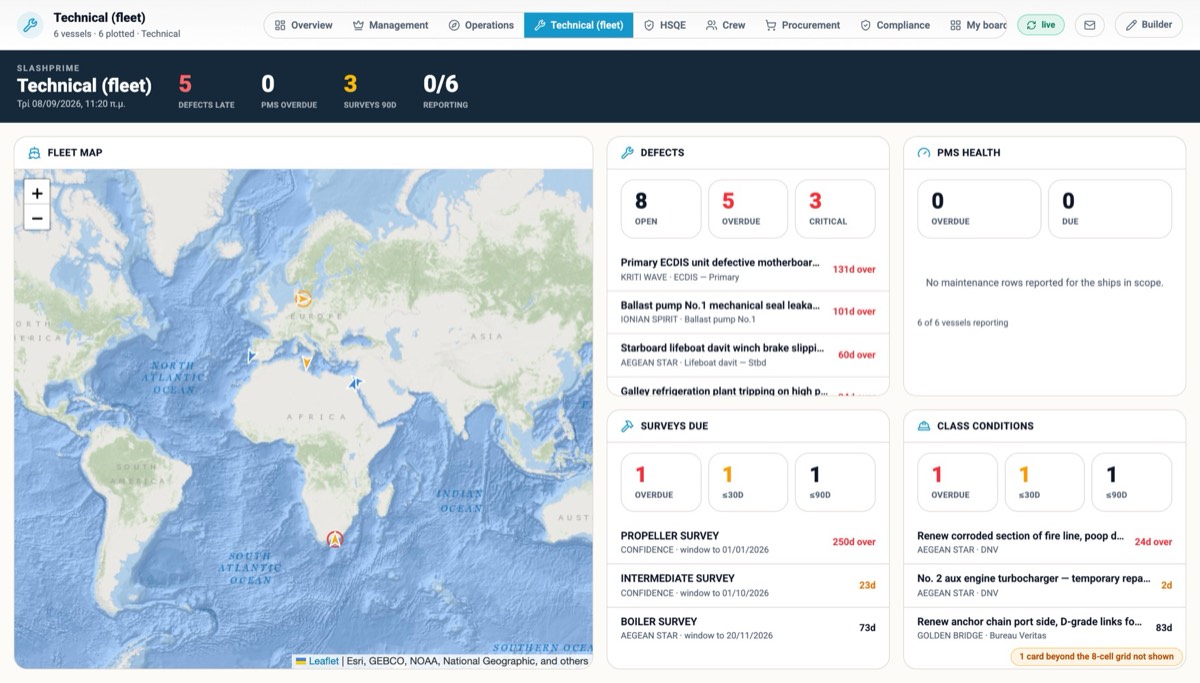
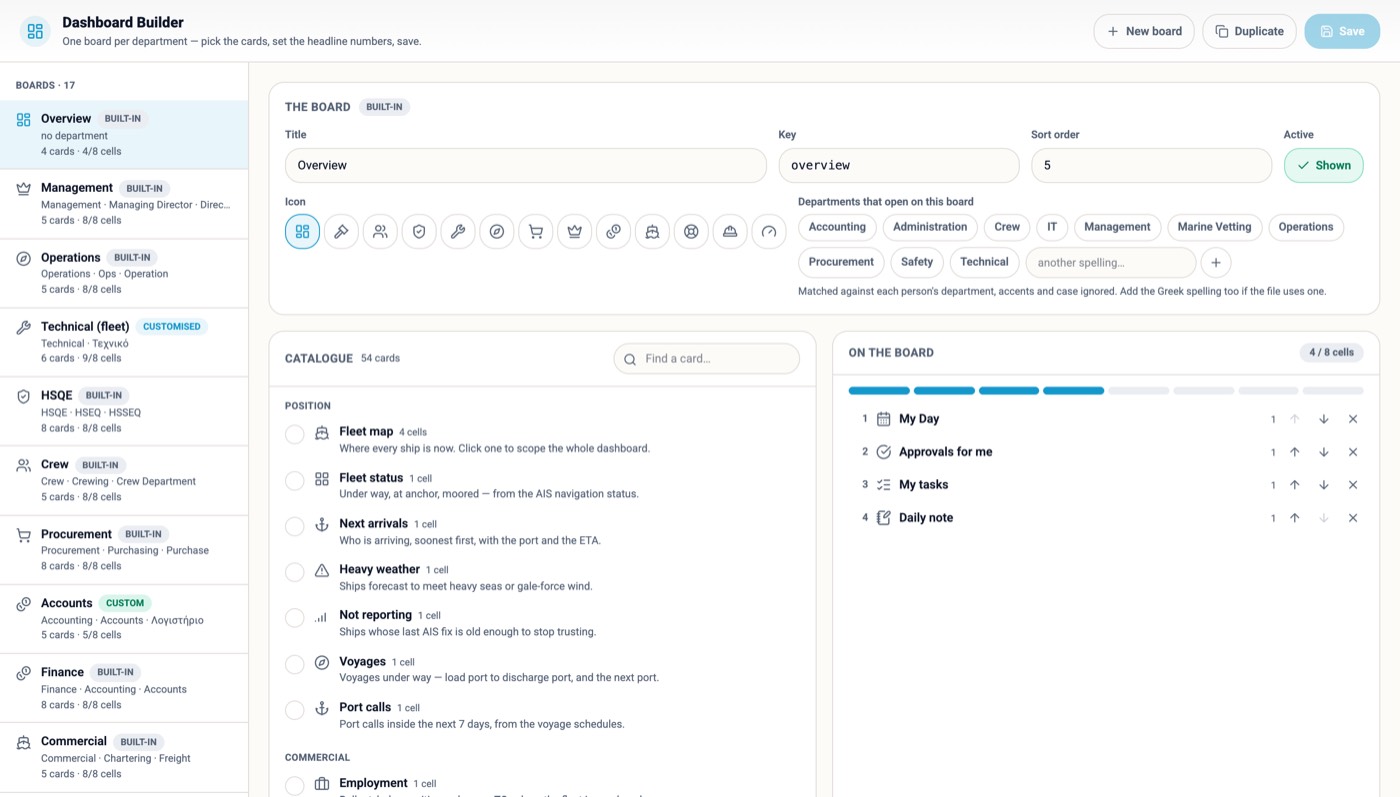
A dashboard per department and per person, light or dark, seven accents, four type sizes, a header they curate.
Each vessel carries her own copy, opens on what she owes today by rank, syncs by herself, and every form is signed by a named crew member.
Your Word and Excel forms become interactive forms; filled on screen or done in a module, they file one receipt into one ledger.
The library, the assessments carried out and the jobs, permits and drills that still need one — attached to the permit before it is issued.
Documents read into records, questions answered from your own rows and manual, tasks proposed by rule. A person confirms; nothing writes on its own.
TLS in transit, AES-256 at rest, scheduled backups, a named account for everyone, an audit log on every commit, every ship holding only her own slice.
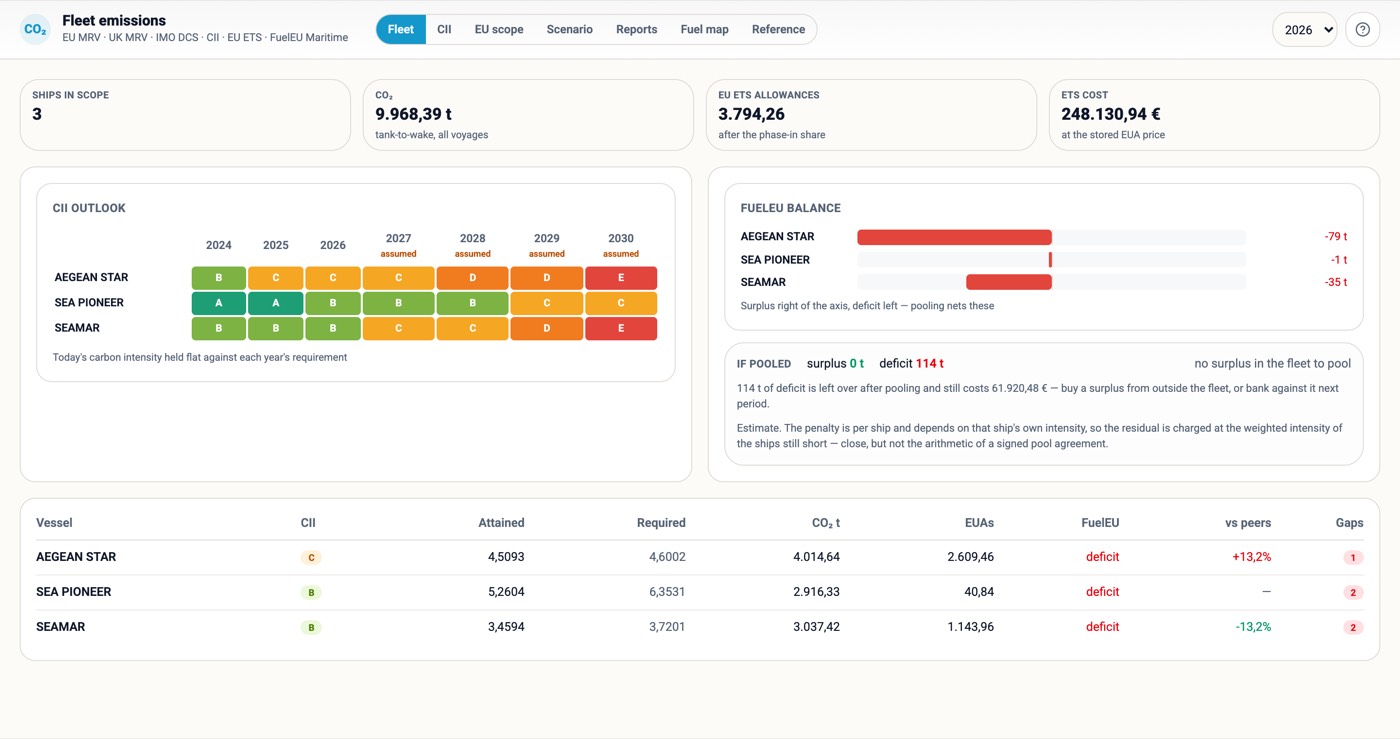
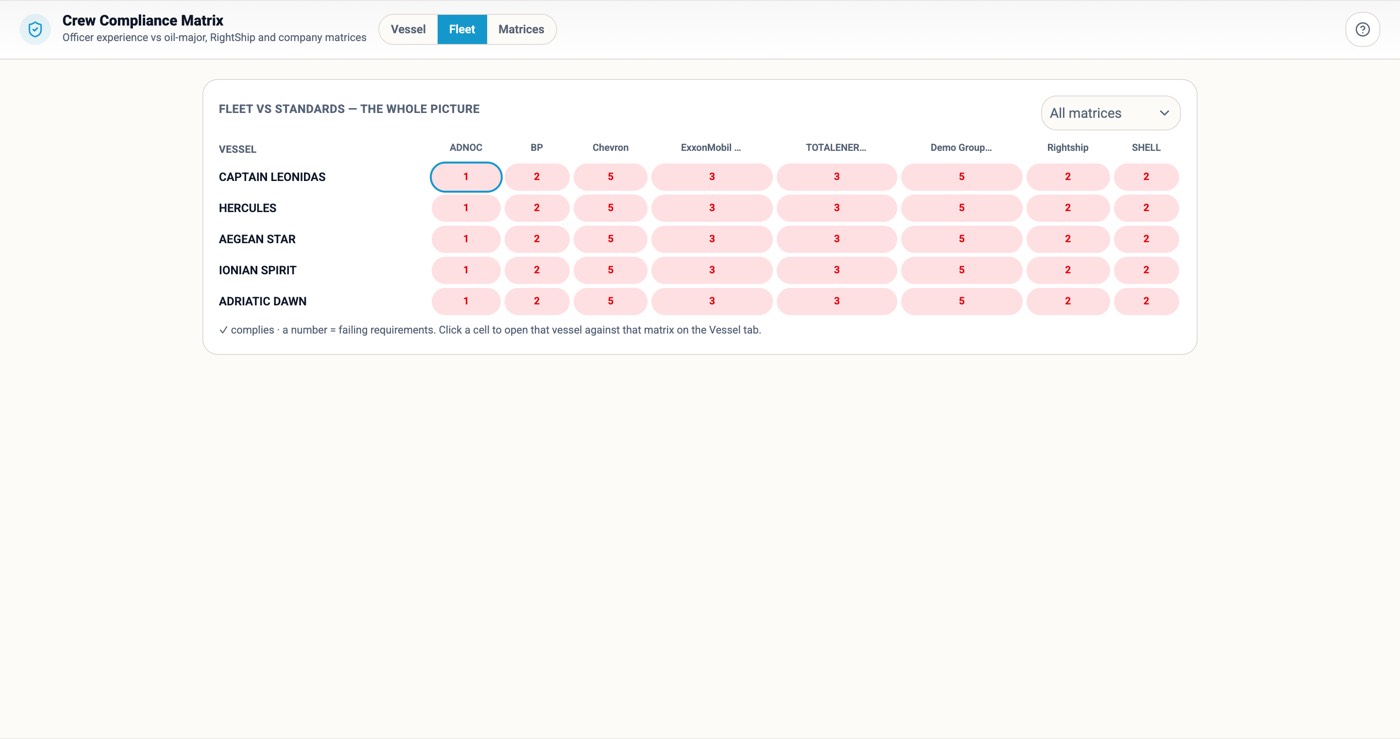
CII, ETS, FuelEU, the cyber register, rest hours, TMSA, the oil majors' crew matrices — and the chartering desk's TCE and laytime.
From a legacy ERP or from Excel, we load your history, validate it and hand it back working. Your server or ours, unlimited users, module by module.
Every fleet already has somewhere to keep certificates and maintenance history. What no maritime system gives you is the work itself — who owes what to whom, by when, and where it stands right now. SlashPrime is that layer, and it happens to know exactly what a vessel, a rank, a port call and a purchase order are.
A dashboard per department and per person · tasks, projects, meetings and team workload · approvals for anything that needs a signature · leave, attendance and who is covering · correspondence registry and circulars · notes, chat and files on every record.
Noon, engine, arrival and departure reports · SMS forms, checklists, permits and toolbox meetings · rest hours, watchkeeping and drills · requisitions raised by the ship, not for it · defects, jobs and running hours · events, near misses and risk assessments.

A small company gets the whole platform, not a cut-down edition; a large one gets the same screens behaving correctly for a hundred people with different rights, across several fleets, without anyone reconciling anything. Nothing below is a bigger licence — it is data an administrator edits, at three ships or thirty.
Fleet, vessel, department and period are one shared scope across every module. Pick a ship on the map and every screen you open is hers.
Who confirms and who approves — by fleet, department, rank and amount band. Test a purchase order against the rules before you go live.
One master menu, tagged, filtered per user at login. Nobody sees a module they should not.
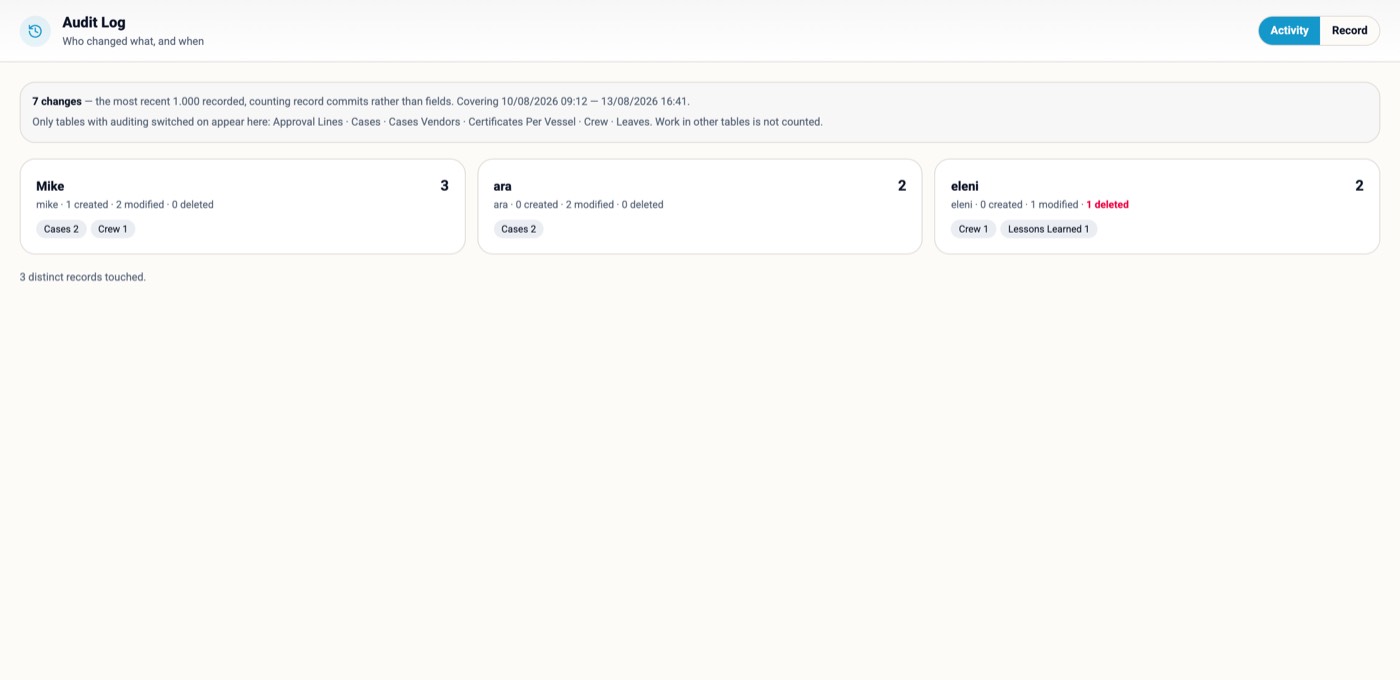
Who changed what, and when, per record and per person. The trail an ISM auditor asks for is a screen, not a request to IT.
One fleet-wide register of everything falling due — certificates, forms, drills, audits, renewals, jobs — worst first.
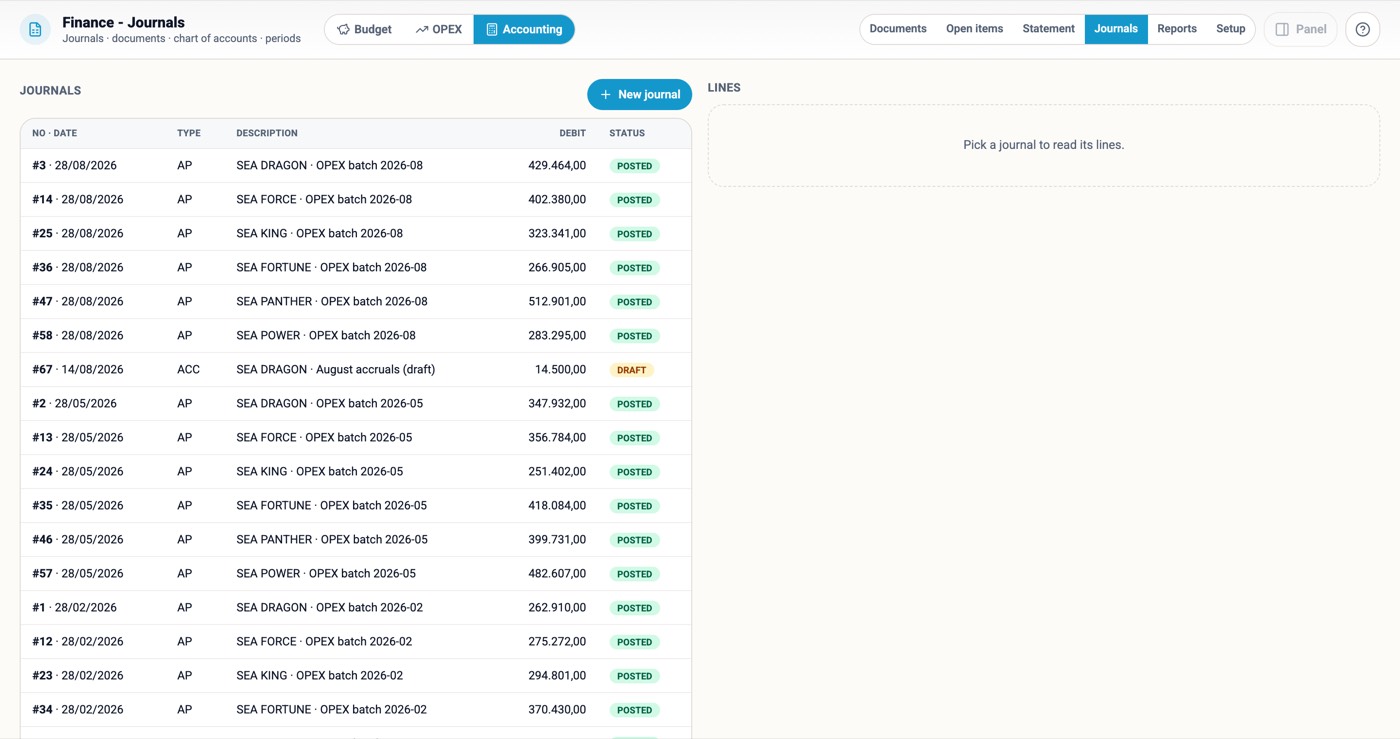
Budget against reality ship by ship, OPEX per cost centre, and underneath it documents, journals, open items, account ledgers, trial balance and P&L per vessel.
Vessel takeover, new supplier approval, a dry-dock campaign: stages of steps with owner roles, relative deadlines and gates.
Screens render in more than one language from the same file. Any list becomes a real Excel workbook with the columns you picked.

A crewing manager, a technical superintendent and a managing director do not want the same first screen, the same colours or the same type size. Here the dashboard is built per department and per person, and the look of the whole platform is each user's own setting.
Management, Operations, Technical, HSQE, Crew, Procurement, Compliance — each opens on its own board, chosen by the viewer's department at login.
Compose any board from one catalogue of cards and headline numbers: pick, order, preview on live data, save.
Every person arranges their own board; My Day shows what needs them today — approvals, tasks, meetings, announcements, notes.
Every screen has a light and a dark surface; seven accents tint the interface; type from S to XL, per user, on every module at once.


Most "vessel modules" are a form the office asks the ship to fill in. This is the ship's own screen: it opens on what is due today for the rank at the keyboard, what is late, what is coming in the next fortnight, and what the office is waiting for.
Every periodic SMS form carries its cadence and its responsible role. After a PIN sign-in the ship sees only the forms still owed for that rank.
One account per ship, a four-digit PIN per crew member. Every form, drill sheet and acknowledgement is signed by a named person, with rank and time.
Circulars the office waits for the ship to acknowledge; requisitions and reports the ship waits on the office for; a chat thread on the same screen.
The bridge PC boots to a lock screen with the crew list and a keypad; a near miss can be raised from it without signing in.

Satellite links drop and VSAT is metered, so every ship runs her own copy of the system, holding only her own slice of the data, and keeps herself in step with the office by herself. Nobody on board exports anything; nobody ashore imports anything.
A vessel's copy holds her crew, her jobs, her forms. If a laptop walks off the gangway, it carries one ship's records, not a company's.
The ship talks to the office server; nothing connects into the ship. Each ship file is paired to one vessel with its own account.
Work on board is saved on board. When the link is there the changes travel; when it is not, nobody notices until it is back. A conflict is kept for a person to see, never lost.
Every vessel's last contact, what is waiting and how much has travelled this month, on one office screen. No third-party sync licence.

The expensive failures in ship management are never dramatic. They are a form nobody knew was monthly, a certificate that expired on a Sunday, a circular three ships never acknowledged. Every one of these has a date, and every date in this platform is watched by the same engine.
Each controlled SMS form carries its period and its role. The ship's Today list and the office's obligations register fill themselves.
Vessel and crew certificates by days to expiry, colour-coded 30 · 60 · 90, counted per ship for manning gaps.
Requisitions, purchase orders and leave routed by rule; a nudge in-app and on the phone that opens the exact record.
Watch bill and rest periods laid over each other, MLC 2006 and STCW evaluated as the day is entered.

The platform reads documents, answers questions from your own rows, proposes the next step and finds anything from one box — and every one of those shows the rows, the rule or the paragraph it came from. A person confirms; nothing writes on its own.
Questions answered in plain words from the same rows the modules read, or from your own SMS manual, with the section quoted.
Bunker delivery notes, declarations, invoices, certificates and vendor offers read from the document, corrected, and handed to the module they belong to.
Classify a safety event and the rules engine proposes the investigation, corrective, preventive and verification tasks — accept or discard each, with a simulator.
Run an action, jump to a module, find a person, a serial, a vessel, an SMS procedure by its reference — from any screen, one keystroke.

SIRE 2.0, RightShip, PSC, class, flag, the oil majors' matrices and the EU's carbon rules all ask for evidence that lives in a different spreadsheet on a different desk. Here each one is a module reading the records the ship is already keeping — so the evidence pack is an export, not a project.
CII, EU ETS allowances and FuelEU balance computed from the noon reports the ships already file — per ship, per year, with the cost of the deficit stated.
Systems per ship and what was patched, backed up and restore-tested, worst first. The evidence MSC.428(98) and E26/E27 ask for.
Every seafarer's hours of work and rest against MLC 2006 and STCW as they are entered, non-conformities named per person per day, watches and drills laid over them — the record PSC opens first.
The self-assessment by element and stage, gaps as an action plan; the fortnight before an inspection as a campaign with the ship's own history.
Does the officer complement meet ADNOC, BP, Chevron, Shell or RightShip today — and who in the pool would fix it.
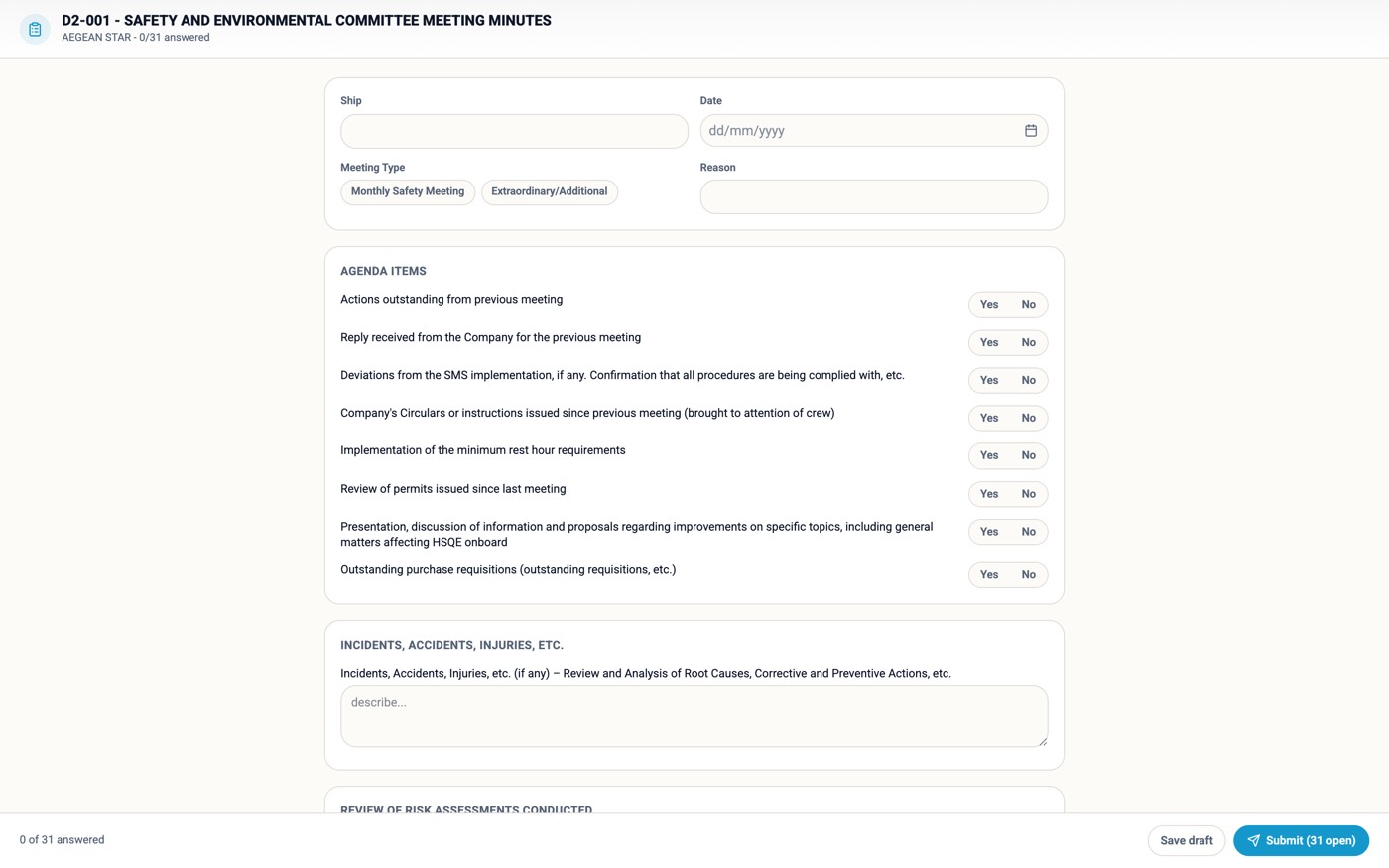
Every seafarer against every drill subject, coloured by interval, so the overdue drill is visible before the inspector asks; the monthly safety committee per ship with its minutes and action register.


Every inspector now asks the same question: show me the risk assessment for this job — and show me the jobs that should have had one. Here the library, the assessments carried out and the work that still needs one are three tabs of the same module, wired to the permits, the maintenance jobs and the drills they belong to.
Every routine and non-routine operation with its hazards, banded high, medium and low from the library's own scoring.
The risk as found and the risk after the planned controls. Until the controls are done, the first number is the one that counts.
A new assessment begins from the job, the permit or the compliance list that needs it — so every assessment names the record it was carried out for.
Jobs, PMS works, drill templates and SMS forms whose settings require an assessment, and whether one exists — the gaps, worst first.

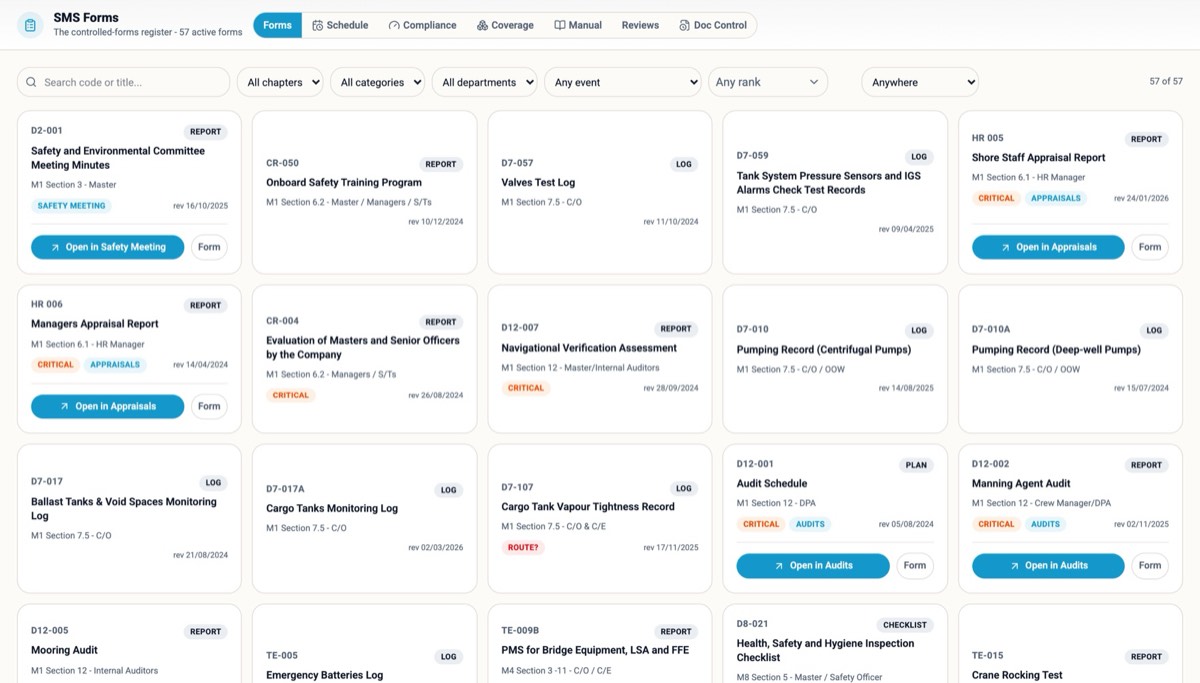
Every company has an SMS. In practice it is a PDF nobody opens and a folder of Word forms nobody can navigate. Here every controlled form of your SMS is an interactive form on screen, filled and signed where the work happens — and whether it is filled as a form or done inside a module, the register knows.
Word and Excel forms are imported by the form builder into interactive definitions — your codes, your wording, your revision dates, your flags.
A drill, an audit, an appraisal or a safety meeting can be filled as the form or done in its module. Both file one receipt into the same submissions ledger.
Daily, weekly, monthly, on event — the ship's Today list, the compliance tracker and the obligations register fill themselves.


The question every buyer asks is "how do the modules talk to each other?" — because on most fleets they do not. Here they are views over one file. The table is the honest answer: what one entry becomes, without anyone typing it again.
| You do this once | …and it also becomes |
|---|---|
| Rest hours entered on the shipCrew Schedule | The MLC / STCW verdict per person, live; the seafarer's own record; the rest-hours form's receipt in the SMS ledger; a breach on the ship's attention list and the office's obligations register. |
| A drill loggedDrills | The drill matrix per seafarer coloured by interval; the SMS drill form's receipt; attendance signed by PIN; the Master's review; the next due date on the ship's Today list. |
| A safety committee meeting heldMonthly Safety Meeting | The minutes as the SMS form's receipt; the actions as tasks with owners; the rolling twelve-month compliance; the management-review agenda. |
| A near miss reportedSafety Events | The rules propose investigation, corrective, preventive and verification tasks; root cause and lesson learned; the KPIs; the management review. |
| A noon report filedVessel Reports | Fleet position and ETA; voyage performance and hull fouling; emissions, CII outlook, ETS and FuelEU; the fleet KPIs. |
| A certificate read from a scanCertificate Monitors | The expiry monitor per ship and per seafarer; the fleet status card; the obligations register; manning gaps and the crew compliance matrix. |
| A seafarer signed onCrew Manning | The pool and the time machine; certificates and the matrix per charterer; the rest-hours roster and the drill matrix; the wage run; the PIN roster on the ship. |
| A requisition raised on the shipProcurement | Routed by rule; the case, RFQ and the vendor's portal or Excel enquiry; the purchase order through the approval matrix; delivery, three-way match, the ledger and the budget. |
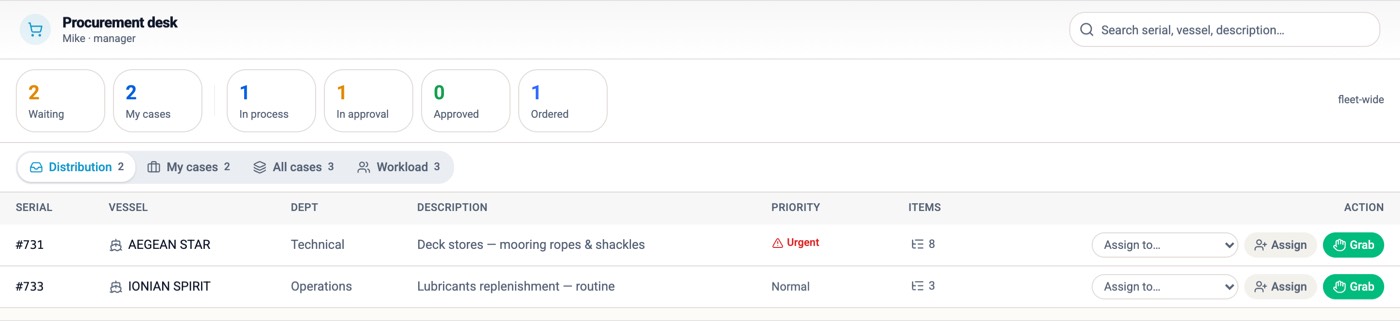
This is the deepest module in the platform, because procurement is where a fleet leaks money quietly. Every step is one record moving forward — nobody re-types a line, and at any moment you can see where a request is, who is holding it, and whether the wait is on us or on the vendor.
The ship or the department raises the requisition from the coded catalogue; it goes to the department manager automatically and lands on the procurement desk.
The RFQ goes to each vendor as a branded English/Greek Excel workbook with only the price columns open, and as a portal link. Either answer is read back into offer lines automatically.
Offers compared side by side; the PO through the approval matrix; invoice against order against what arrived, posted to the ledger from the same record.
Every awarded price read back, so seven percent three times a year is no longer invisible; per vendor, who answered, how fast, at what price.
Every open case, the one thing it waits on, and whether the wait is too long — red when a vendor missed a date, amber when it is our own target.
Vendors answer on their own page from a time-limited link; the offer arrives as data, not a PDF in an inbox.

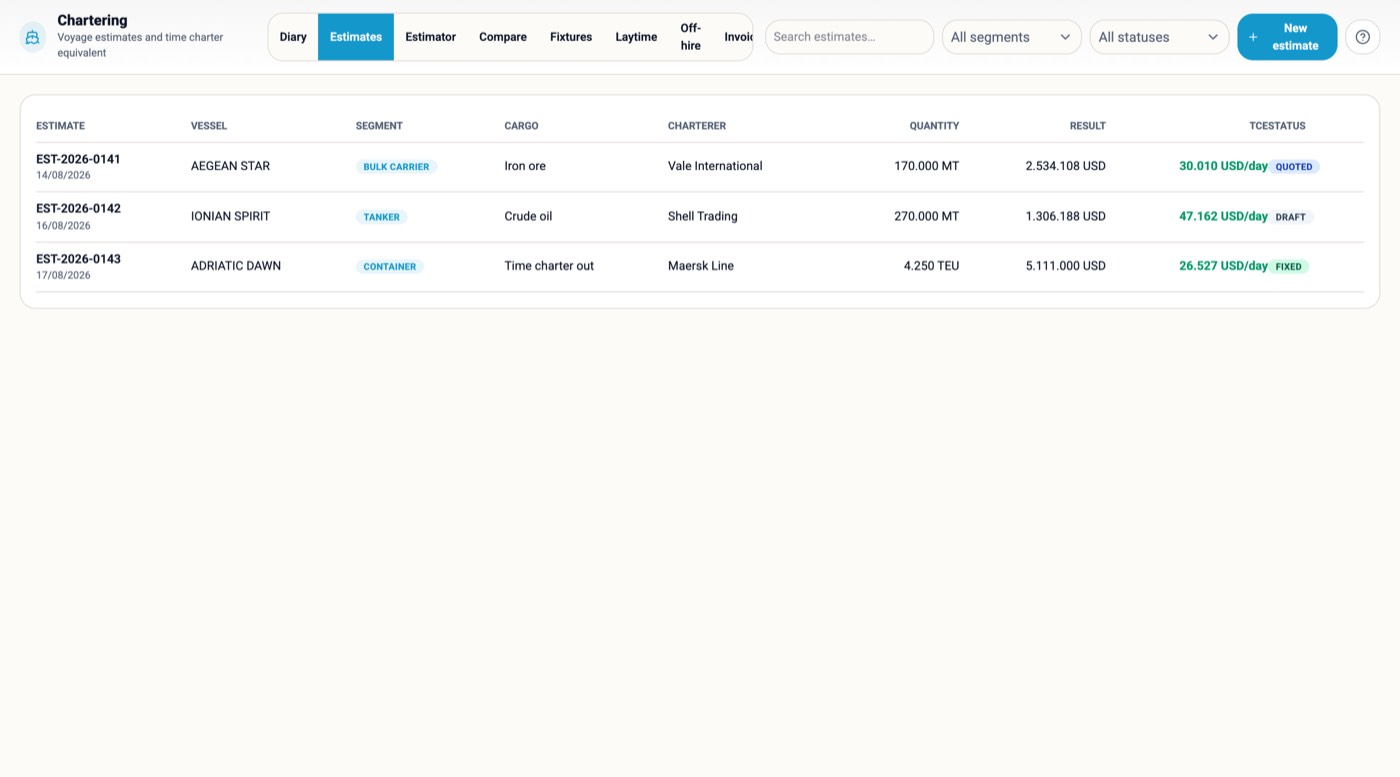
A chartering desk lives on one number — the time charter equivalent — and on the dozen facts behind it. Here the estimate reads the vessel's own particulars and consumption, the port cost reads what the agent charged last call, and the fixture, the laytime, the off-hire and the invoices are the same record as the estimate that won it.
One engine for every trade; two cargoes side by side; the estimate becomes the fixture and the voyage inherits it.
Statement of facts in, laytime statement out, demurrage or despatch; time the ship did not earn; estimate against actual per voyage.
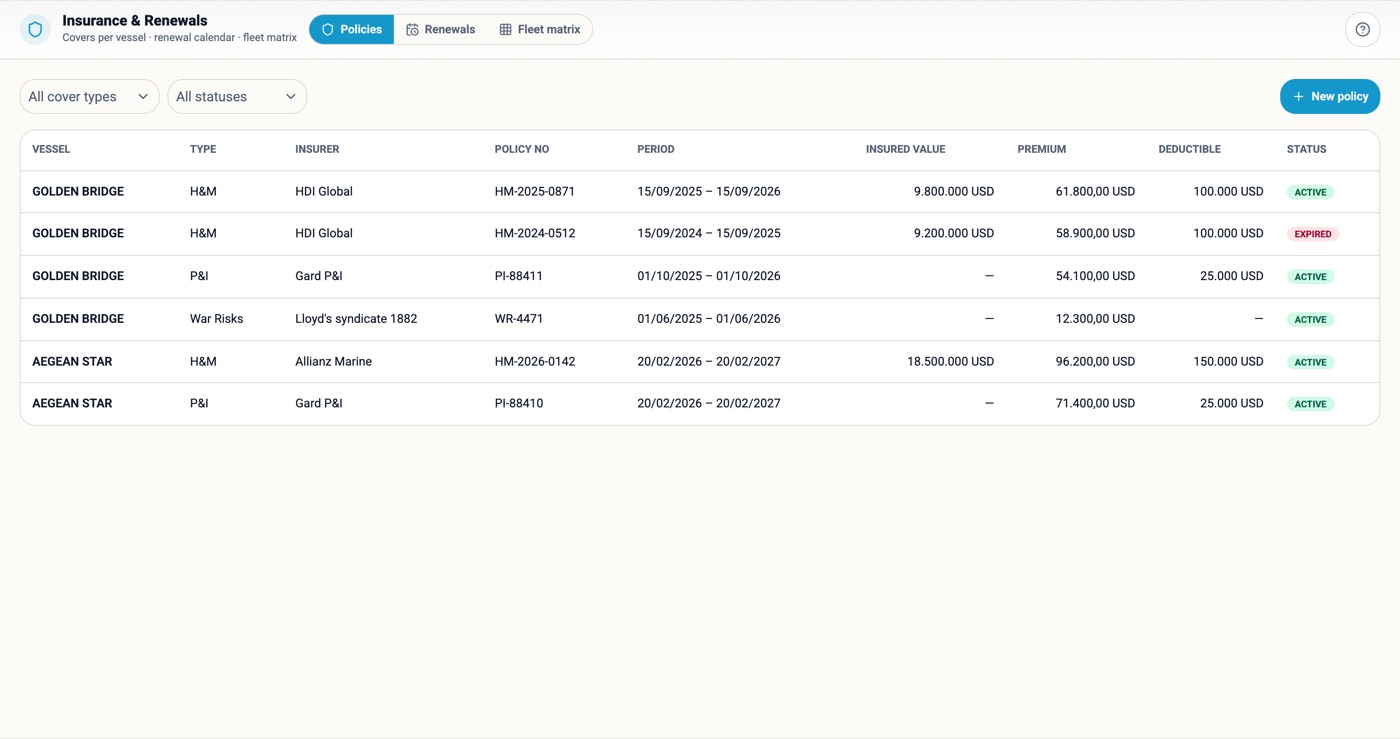
Noon reports against the charter-party warranty; H&M, P&I, FD&D, War with the renewal calendar; matters and claims with the dates that cost money.


Crewing is where a large fleet feels its size first: hundreds of seafarers, dozens of reliefs a month, a matrix per charterer and a wage run per ship. Every one of those is a screen here, reading one crew record.
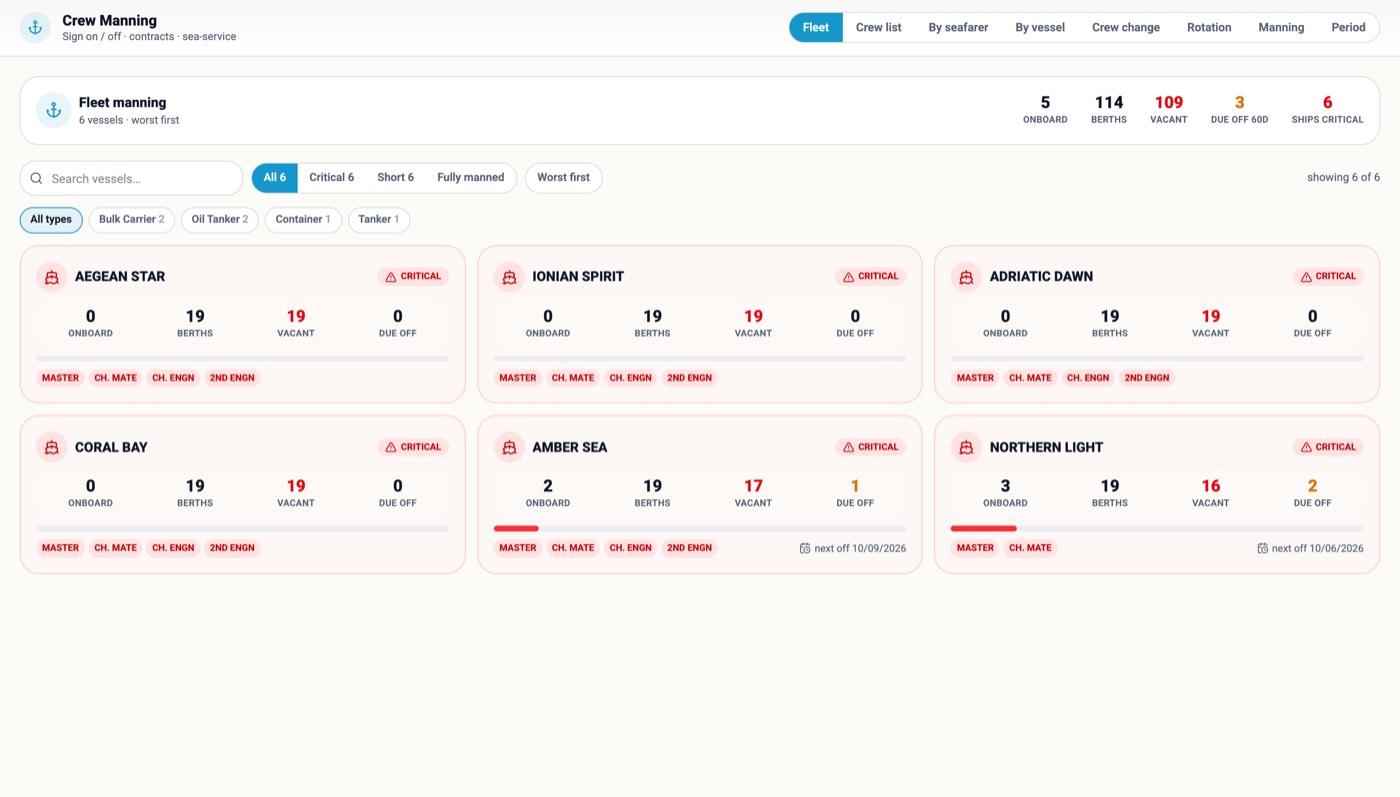
The whole roster by real seniority; how fully each ship is crewed and who signs off when; the checklist a seafarer must pass before the ticket is bought.
Every certificate and training by days to expiry, counted per ship; the officer complement checked against each oil major's matrix.
Watchkeeping, rest hours and drills as one overlay; who was aboard on any date, reconstructed for the P&I club or the auditor.
One wage run per vessel per month; the Master's cash box and the month-end proof; one case per incident; retention and turnover by rank.


Every indicator is computed from the records the fleet is already keeping — jobs, inspections, findings, noon reports — at the moment the screen opens. Nothing is typed into a KPI sheet, so nothing can be typed in wrong. And under the budget sits a real general ledger.
A live composite of PSC risk, inspection performance, technical reliability and emissions — with the vessel that needs attention first named at the top.
Overdue PMS, unplanned maintenance ratio, breakdowns, days to close, deferral rate — each against its target, recomputed on the server every few minutes.
Documents, journals, open items, account ledgers with running balances, VAT, periods, trial balance and P&L per vessel; Greek myDATA built in.


SlashPrime runs on Claris FileMaker, the database platform developed by Claris, an Apple subsidiary, in production worldwide for over three decades. What we built on it is a system in which every person is named, every connection is encrypted, every change is logged, and every ship carries only what is hers.
Every connection over SSL/TLS with your own certificate; the database file encrypted with AES-256, so a copied file is an unreadable file.
Full and progressive backups on the server, verified, retained by policy and copied off-site. Restoring is a rehearsed procedure.
No shared logins ashore; sign in with your Microsoft or Google identity so your own MFA policy applies; privilege sets decide what an account may open.
Who changed what, and when, per record and per person. Deletions are counted, not hidden.
Every backup is copied automatically to off-site object storage in the EU with object lock (write once, read many). For its retention period it cannot be changed or deleted by anyone, an administrator or a ransomware included. Restoring from it is a rehearsed procedure, not an emergency.
Documents in object storage reached through short-lived signed links; the model key never leaves the server; the reader writes nothing until a person confirms.

The reason fleets stay on a system they dislike is the move, not the software. Whatever you run today — an older maritime ERP, spreadsheets, Word forms, or all three — we take the exports, load them, check them, and you are working in weeks, not seasons.
Vessels, certificates, machinery and PMS history with running hours, crew and sea service, suppliers, the catalogue, purchase history. An export is enough; we map it once and load it.
The crew list, the certificate sheet, the budget, the supplier list loaded as they are; Word and Excel SMS forms made interactive; certificates and invoices read from the scan.
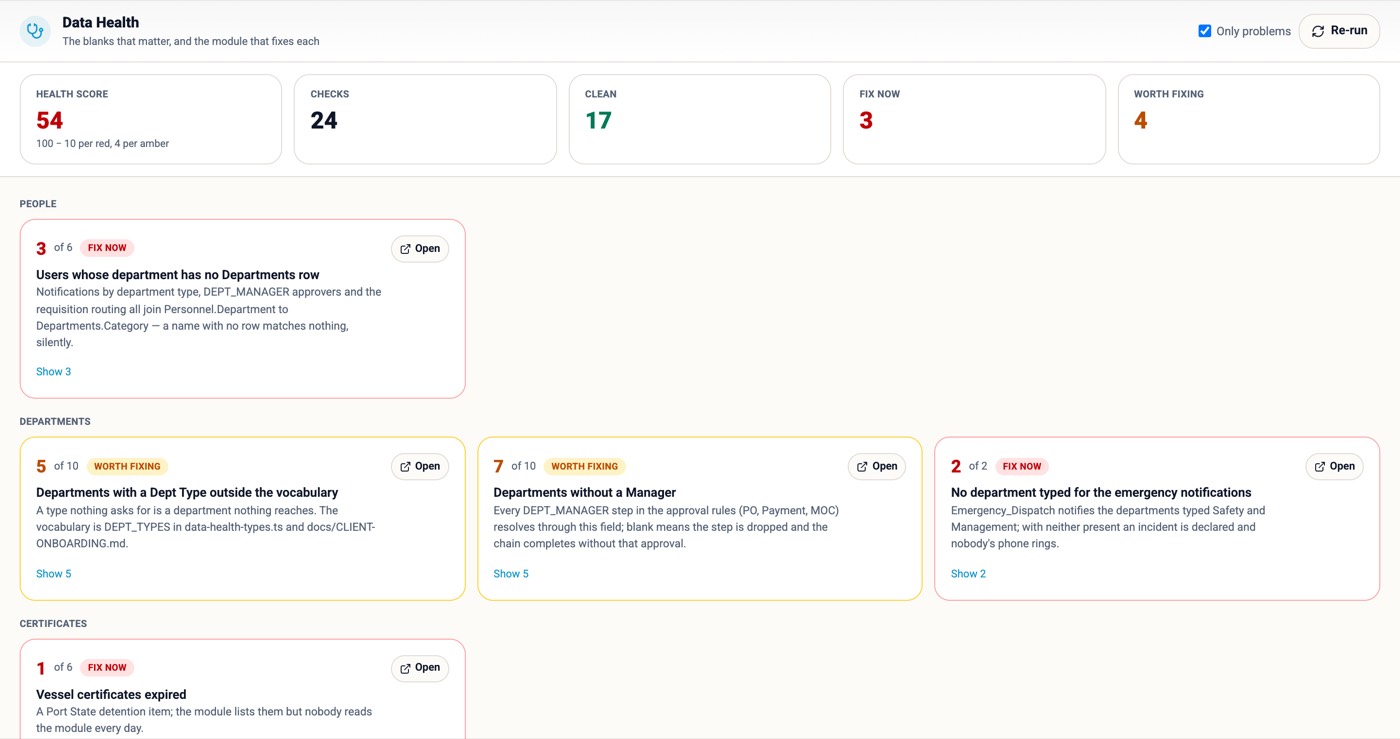
Duplicates, blanks that would break routing, dates that cannot be, a ship with no Master. Blank is never turned into zero. Data health scores what remains.
One department first on real data alongside the old system, a thirty-day decision point, then the next module. Onboarding as one fixed price.
Claris FileMaker Server provisioned, licensed and updated by us; SSL certificate issued and renewed on your domain; scheduled backups with off-site copy; monitoring and app releases as one monthly line.
The same platform on your hardware or your cloud tenancy, your certificate, your backup policy, your identity provider — with your IT in control and app releases shipped as synced data.
Mac and Windows clients or any browser; iPhone and iPad with camera, dictation and pen; a paired copy on the bridge PC in kiosk mode and tablets in the machinery spaces.

Grouped the way the menu groups them. Every line reads the same records as the rest and inherits the notes, files, tasks, chat, permissions and audit trail of the platform. Modules are how you buy it, not how it is built.
A website can show you screens. It cannot show you your ships on them. The demo can — with your vessels' names, your ranks and your SMS forms index loaded, in front of the people who will use it. Forty-five minutes, online or at your office.
One email with your fleet size and the department that hurts most. We reply the same working day with two slots for a call.
We load your vessel list beforehand, so the fleet board, the obligations register and the ship's screen show your ships, not ours.
Crewing, procurement or compliance. A fixed-scope onboarding, your users, two training days, and a decision after thirty days of real use.